Documentation
Everything you need to obfuscate Luau: how the obfuscator works, the dashboard around it, the HTTP API, and the in-script macros.
Introduction
MoonVeil is an obfuscator for Luau. You hand it a script and get back a hardened bundle that still behaves the same on the runtime you ship to, with the internals of your code dissolved.
Every build runs through three stages:
- Optimize. Your script is lowered to MoonVeil's IR, where constants are folded and dead code is dropped before any protection runs. This is free speed for the obfuscated result.
- Protect. The compile mode you pick rewrites the code, and macros can retune any function on top of the mode.
- Bundle. Everything is emitted as one self-contained Luau file.
This page covers what the obfuscator can do, what each mode costs at runtime, and how the dashboard around it works. If you are new, start with the quick start below and read the mode sections before your first real build. Looking for a specific macro or endpoint? The macro reference and the API reference have the details.
Quick start
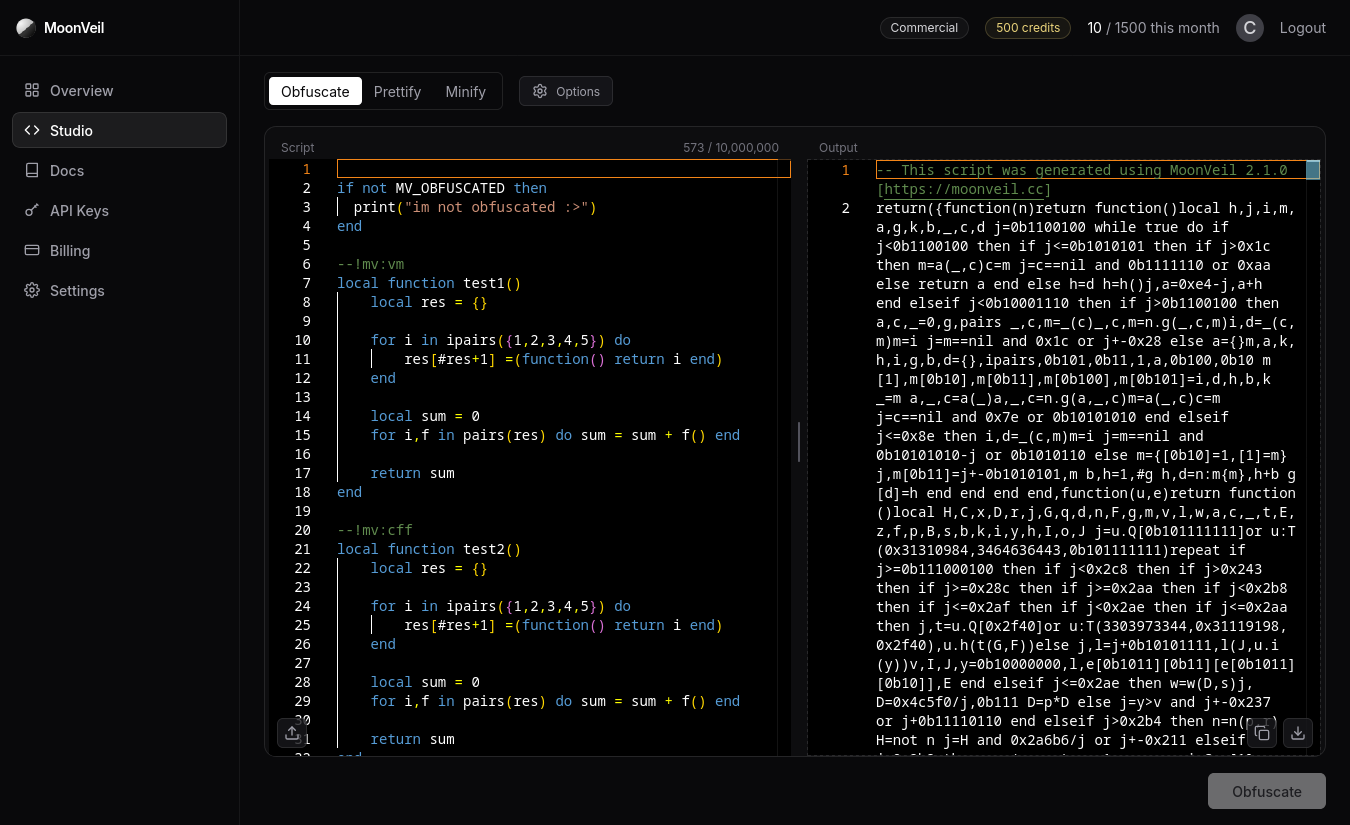
The fastest path from source to protected script runs through the Studio:
- Open the
Studioand paste your script into the input pane, or press the upload button in the pane's bottom left corner to load a.luaor.luaufile. - Press
Optionsand pick a compile mode. We recommend theSafe Envmode. - Press
Obfuscate. The output pane fills with the bundle, ready to copy to the clipboard or download as a file.
That is the whole loop. Everything else on this page is about tuning what happens in step two and how to run the same thing from your own tooling.
Compile modes
The compile mode decides how the whole script is protected. It is the biggest knob you have, and it trades runtime cost against protection. Macros can override the mode for individual functions afterwards.
| Mode | What it does | Runtime cost | Output size | Plans |
|---|---|---|---|---|
| CFF | Rewrites control flow into an opaque state machine | Low | Small | All |
| VM | Compiles functions to a private bytecode run by a bundled interpreter | High | Large | All |
| Safe Env | Virtualizes like VM, then locks the bundle to one environment behind anti-tamper checks | Highest | Largest | Basic and above |
CFF mode
Control flow flattening takes apart the shape of your functions. Branches, loops, and early returns stop being an outline a reader can follow and become states of a dispatcher: the body runs inside a loop that picks its next state at runtime. Your logic still executes as plain Luau operations, which is why this mode stays fast.
CFF is the default compile mode. Every CFF setting can also be set per function with MV_CFF or the --!mv:cff comment directive.
local step = MV_CFF(function()
  for i = 1, 10 do print(i) end
end, true, true, 10)

-- or --

--!mv:cff true false 10
local function factorial(n)
    if n <= 0 then return 1 end
    return n * factorial(n-1)
end
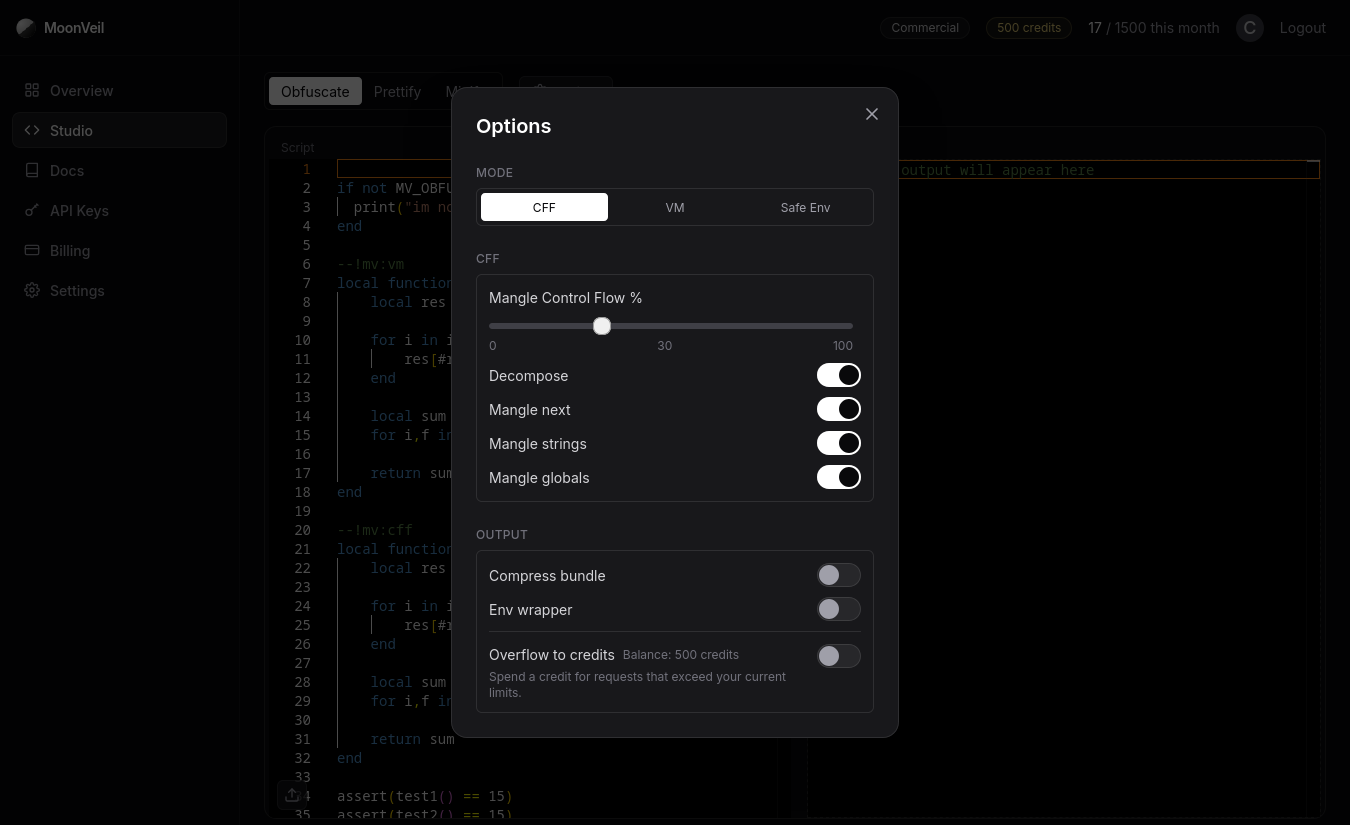
The settings, in the order the Options dialog shows them:
| Setting | What it does |
|---|---|
| Mangle control flow % | Chance to insert fake branches into the machine. Higher means more junk code, a bigger bundle, and a slower function. |
| Decompose | Breaks the state machine apart further so states are computed instead of selected. Stronger flattening, more overhead. |
| Mangle next | Mangles the successor and dispatch indices, so state transitions are not readable constants. |
| Mangle strings | Mangles string constants in the function instead of leaving them in the constant table. |
| Mangle globals | Mangles global accesses, so calls like game:GetService do not appear as readable constants. |
In the Studio these sit under the CFF group of the Options dialog. On the API they are the options.cff object.
VM mode
The whole script is compiled and lifted to a selected VM. Protected functions are compiled to a bytecode instruction set generated for your build and shipped with the interpreter that runs it.
The cost is interpreter overhead, so virtualize the functions that need it instead of the whole script when you can. Two macros are built for exactly that:
MV_VMvirtualizes a single function inside a build that is compiled in another mode.MV_ENC_FUNCencrypts a function body so it only decrypts when a runtime key matches.
local verify = MV_VM(function(pw)
  return pw == "s3cret"
end)

local verify = MV_VM(function(pw)
  return pw == "s3cret"
end, "fox")

-- or --

--!mv:vm cat
local function factorial(n)
    if n <= 0 then return 1 end
    return n * factorial(n-1)
end
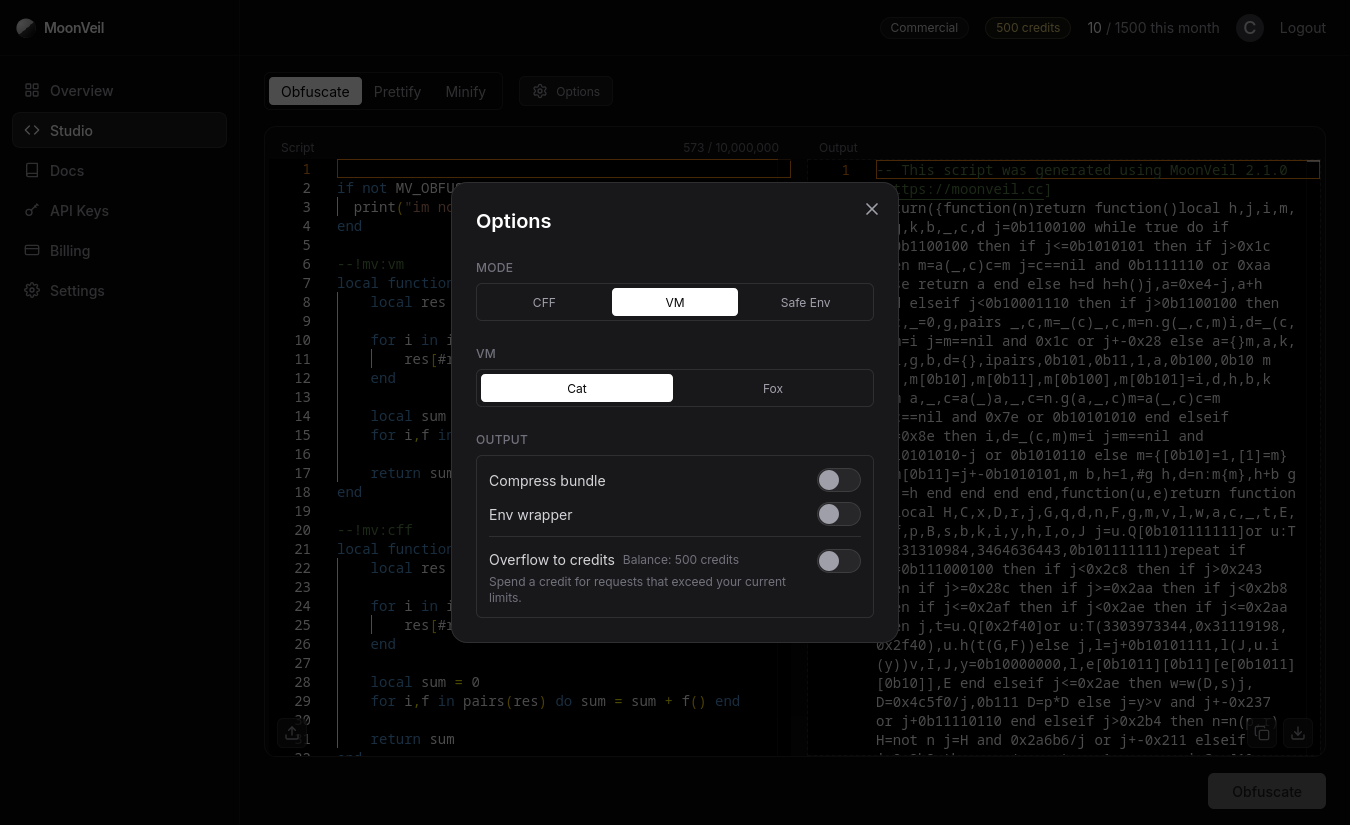
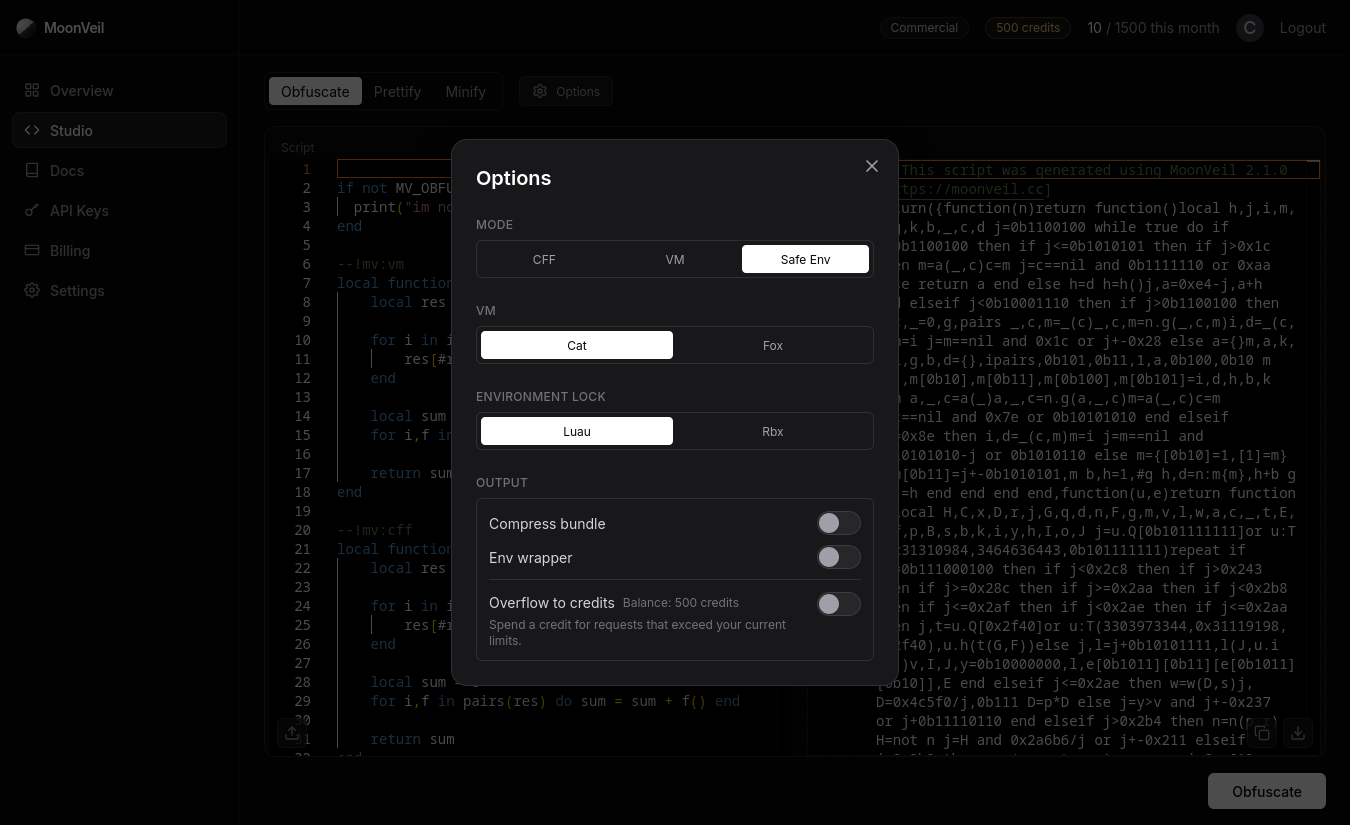
In VM and Safe Env modes you also pick which VM implementation to target. See VM implementations below.
Safe Env mode
Safe Env is the strongest tier. It takes everything from VM mode and adds an environment lock. The bundle is bound to the environment it was built for and verifies it before anything decrypts: environment probes, integrity checks, and instrumentation aimed at debuggers and logging tools. A moved, unpacked, or instrumented build fails closed instead of running.
You choose the lock at build time:
| Lock | Locks to | Use it for |
|---|---|---|
| Luau | Any generic Luau runtime | Standalone runtimes and embedders (luau CLI, lute, your own host) |
| Rbx | Roblox environments only | Scripts shipped inside Roblox experiences |
MV_PRECHECK is only available in this mode. It runs a check function before the script decrypts and folds the return values into the decryption key, so a build can refuse to run when the environment answers wrong.
MV_PRECHECK(function()
  return 0x1234
end, 0x1234)

-- multiple keys are checked in order against each returned value --

MV_PRECHECK(function()
  return true, "rosiej", 255
end, true, "rosiej", 255)


MV_PRECHECK(function()
  -- globals are fine
  return game.PlaceId
end, 25522223443)
Expect a little extra startup cost while the checks run. Steady state performance sits in the same class as VM mode.
VM implementations
Both implementations come from the same VM family and generate a fresh instruction set per build, so two scripts obfuscated with identical settings do not share a VM. They differ in how the interpreter and bytecode are shaped:
| VM | Trade-off |
|---|---|
| Cat | Smallest and fastest virtualized output |
| Fox | More intense VM obfuscation and slowest setting |
Output options
Two options sit outside the compile mode and shape the emitted bundle:
| Option | What it does |
|---|---|
| Compress bundle | Compresses the emitted bundle behind a loadstring decompressor. The shipped file is much smaller and decodes itself at startup. The target runtime needs a working loadstring. Paid plans only. |
| Env wrapper | Resolves globals through a sandboxed env wrapper instead of getfenv. Use it on runtimes without getfenv, like lute. It also isolates your globals: external scripts that are loadstring'd or required cannot read the obfuscated script's globals. |
Macros
Macros are inline directives that steer the obfuscator function by function. They come as calls like MV_VM(function() ... end) or as --! comment directives placed above a function.
The ones that matter most while you are tuning a build:
| Macro | Use it to |
|---|---|
MV_OMIT | Keep a hot function out of every obfuscation pass and emit it as plaintext |
MV_INLINE | Inline a small function at its call sites instead of emitting a callable |
MV_VM | Virtualize a single function |
MV_CFF | Flatten a single function's control flow |
MV_ENC_STR | Encrypt a string literal behind a runtime key |
MV_PRECHECK | Gate decryption on environment values (Safe Env only) |
The macro reference lists every macro with signatures and parameters, including the LPH_* aliases that let MoonVeil stand in for other obfuscators without a rewrite.
Studio
The Studio is the dashboard's front end for the pipeline. The three operations at the top pick what runs:
| Operation | What it runs |
|---|---|
| Obfuscate | The full protection pipeline with the options you set |
| Prettify | Reformats a script into clean, readable source |
| Minify | Runs the optimizer (constant folding and dead code elimination) and shrinks the script |
Below that sit your input script and the output of the last run, split by a draggable divider on desktop and switched with tabs on mobile. The counter above the input tracks your script against your plan's size limit (and against the 5,000,000 character hard ceiling when a run would overflow into a credit). The upload button loads a file from disk; the output pane has copy and download buttons.
A few behaviors worth knowing:
- Your input and last output are saved locally in the browser, so a reload or an accidental tab close does not lose your work.
- After a run the button stays disabled until the input changes, which keeps you from spending a request on the same source twice.
- When a run needs a plan-locked option, exceeds your size limit, or your monthly quota is spent, it can still go through if you turn on Overflow to credits in the Options dialog. The run button shows a costs a credit tag when that is about to happen.
Options dialog
The Options dialog is the Studio's view of the same options object the API takes. Group by group:
- Mode: CFF, VM, or Safe Env.
- VM: Cat or Fox. Shown for VM and Safe Env modes.
- Environment Lock: Luau or Rbx. Shown for Safe Env mode.
- CFF: the mangling settings. Shown for CFF mode.
- Output: compress bundle, the env wrapper, and Overflow to credits with your current credit balance.
Options your plan does not include show a padlock. Turn on Overflow to credits and every option unlocks: the ones that would spend a credit say so in their tooltip, and the run button tells you before you spend one.
Dashboard overview
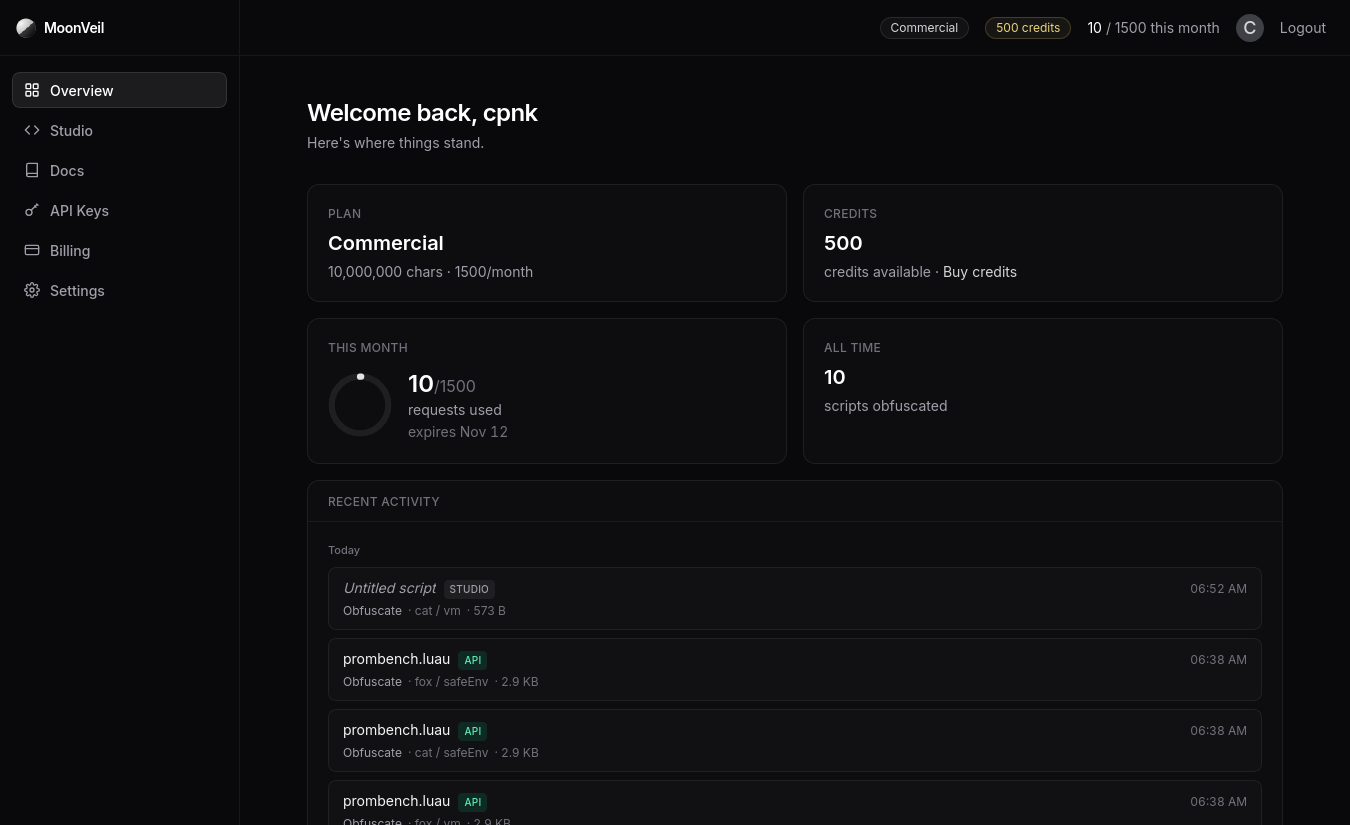
The Overview tab is the account's home base:
- Plan: your plan name, script size limit, and monthly request quota.
- Credits: your balance with a shortcut to buy more.
- This month: a usage donut, requests used against quota, and when the quota resets.
- All time: how many scripts the account has obfuscated.
- Activity: recent obfuscations, with a marker on the runs that spent a credit.
API keys
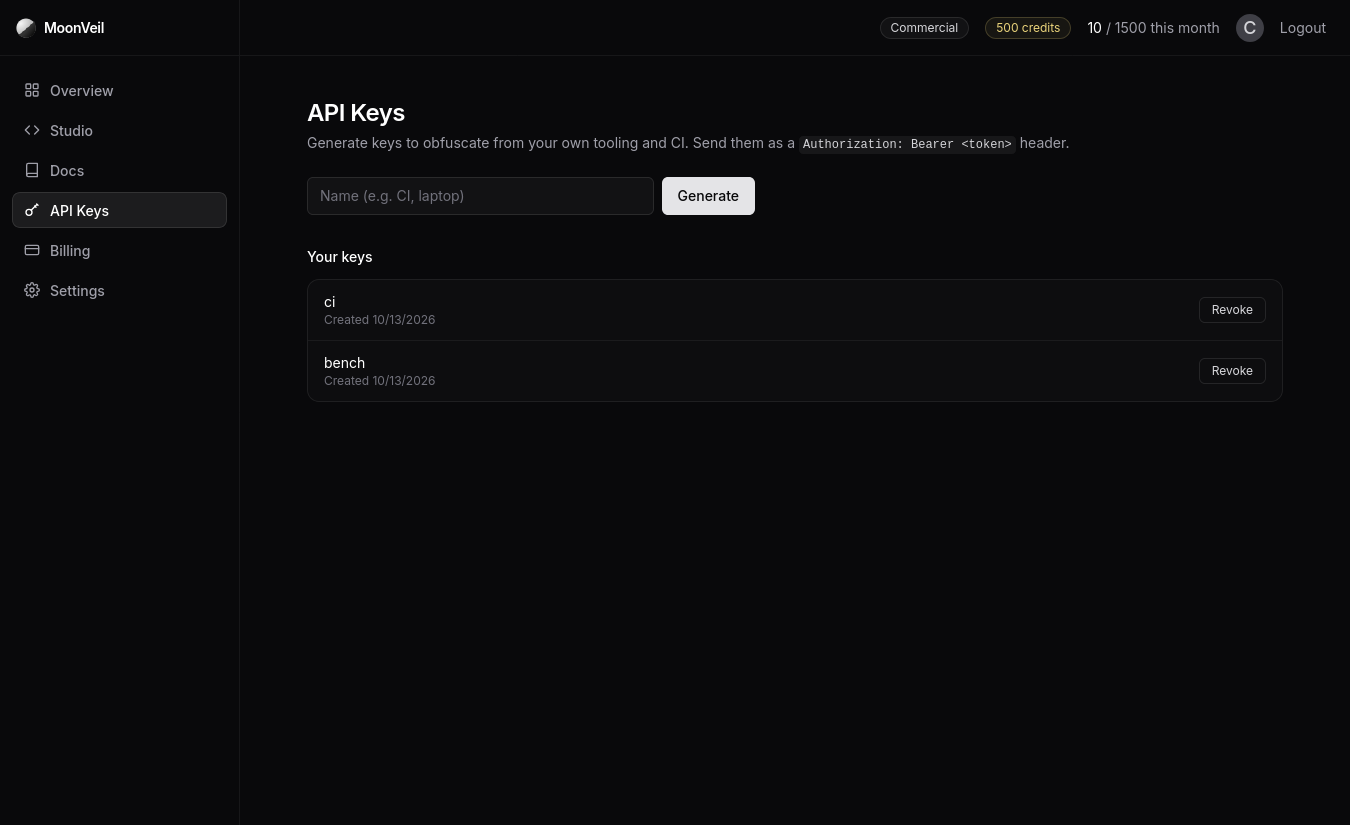
API keys authenticate your own tooling against the API. Generate as many as you need and name them after where they run (CI, laptop, a deploy hook), then send each one as a bearer token:
const KEY = process.env.MOONVEIL_KEY!;

async function moonveil(op: string, body: object) {
  const res = await fetch(`https://moonveil.cc/api/v2/${op}`, {
    method: "POST",
    headers: {
      Authorization: `Bearer ${KEY}`,
      "Content-Type": "application/json",
    },
    body: JSON.stringify(body),
  });
  if (!res.ok) throw new Error((await res.json()).error);
  return res.text();
}
The raw key is shown once at creation, so copy it when you see it.
Billing and credits
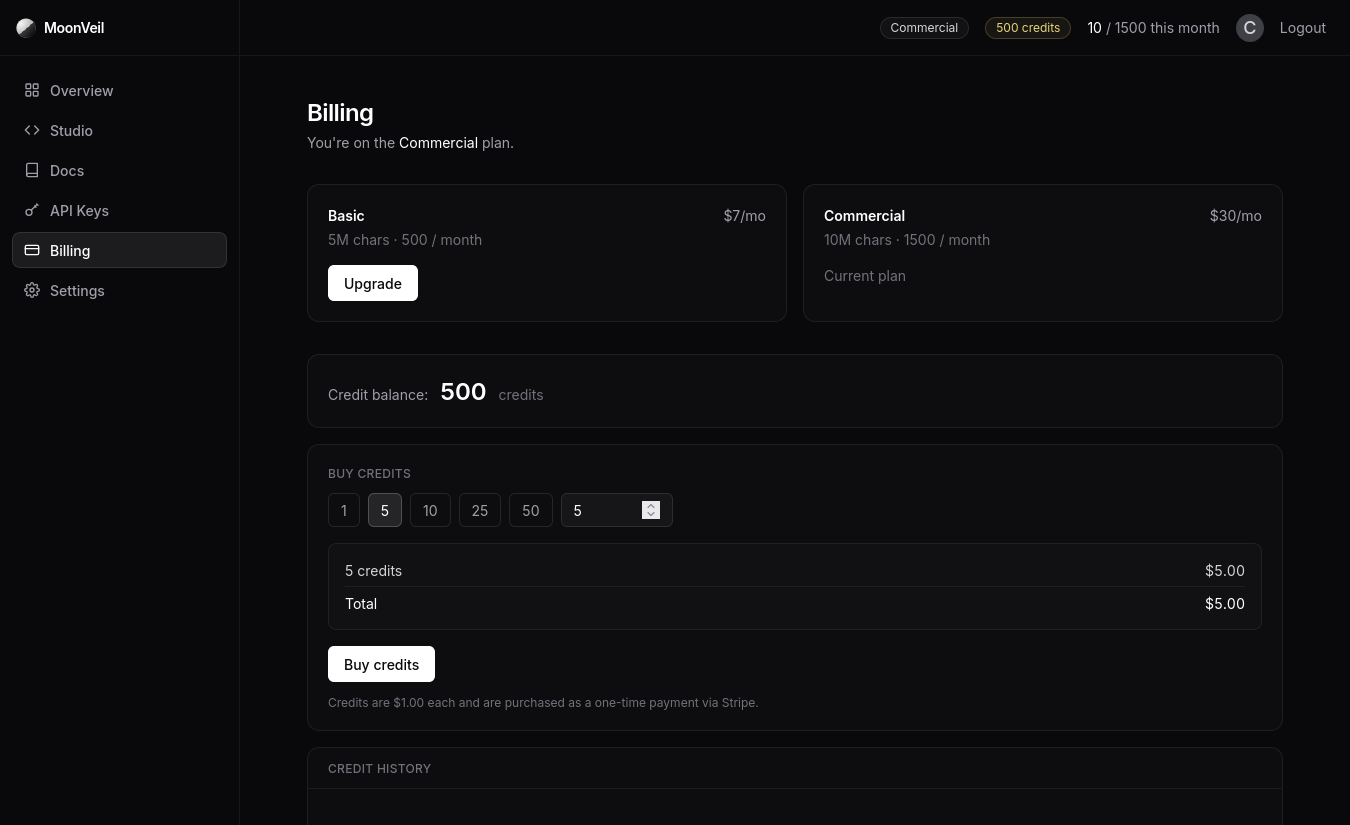
Billing handles plan changes and credits:
- Plan tiers: Basic and Commercial upgrade through Stripe and apply as soon as checkout finishes. Manage billing opens the Stripe portal for cards and invoices.
- Credits: one-time purchases through Stripe. Take the presets (1, 5, 10, 25, 50) or type an amount up to 1000. A processing fee applies to small orders, and the summary shows it before you pay.
- Credit history: every credit transaction with its timestamp, including which obfuscations spent one.
Credits are what let a run leave your plan. With Overflow to credits on in the Studio (or useCredit on the API) a request spends a credit only when it does not fit the plan: a plan-locked option, a script over your size limit, or a spent monthly quota. Credit runs unlock every feature and accept scripts up to 5,000,000 characters, or your plan's limit when that is higher.
Settings
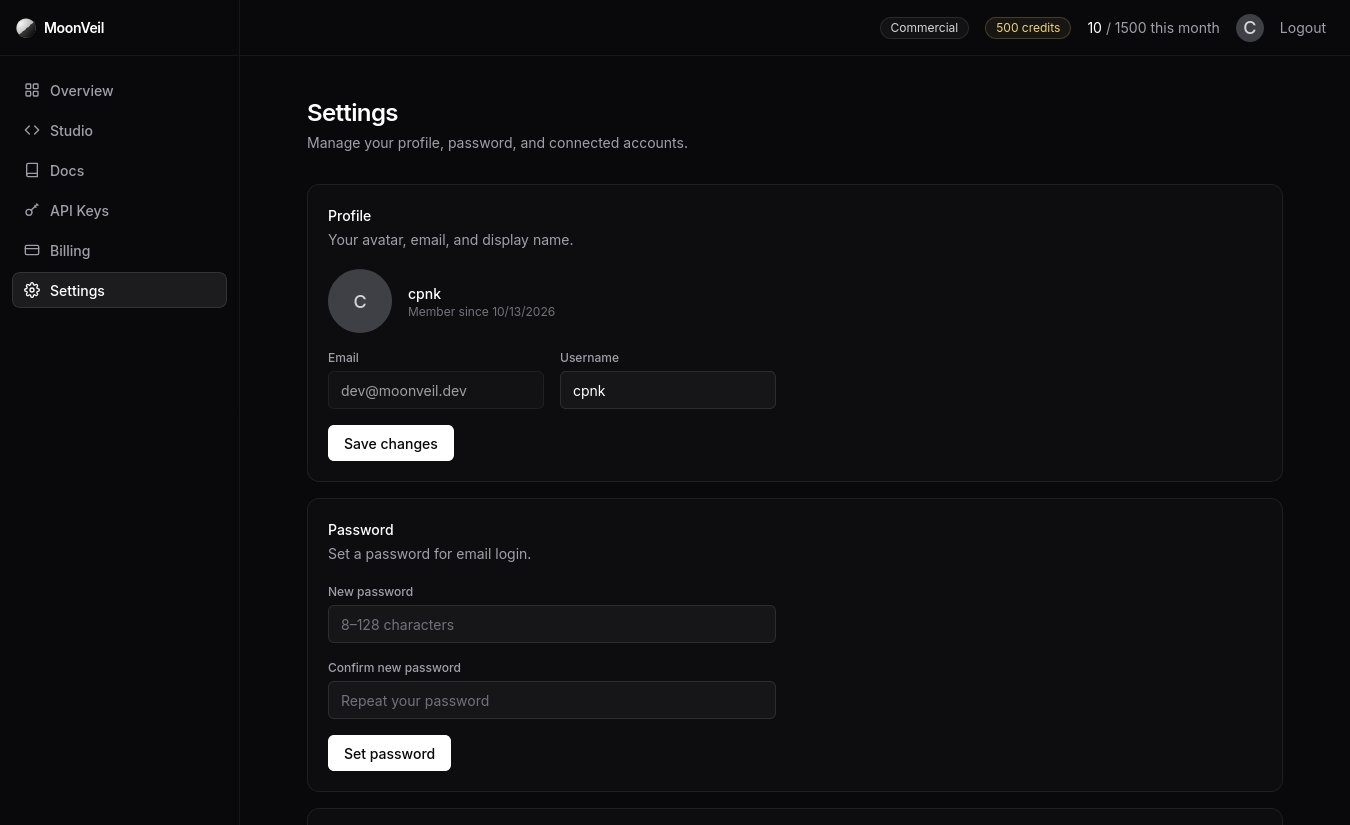
Settings covers the account itself: your profile (email and display name), password changes for email accounts, and connections. Discord can be linked and unlinked here, which is also what unlocks Discord login and support.
Plans
What each plan unlocks:
| Plan | Price | Requests | Script size | Compile modes | VM implementations |
|---|---|---|---|---|---|
| Skid | Free | 10 / month | 200,000 chars | CFF, VM | Cat |
| Basic | $7 / month | 500 / month | 5,000,000 chars | CFF, VM, Safe Env | Cat, Fox |
| Commercial | $30 / month | 1500 / month | 10,000,000 chars | CFF, VM, Safe Env | Cat, Fox |
Every plan includes the Studio, the API, and the full macro set. Prettify and minify are free everywhere and only rate limited. Bundle compression is included on paid plans, and credits work on every plan.
API
Everything the Studio does is available over HTTP so obfuscation can sit inside your build:
const KEY = process.env.MOONVEIL_KEY!;

async function moonveil(op: string, body: object) {
  const res = await fetch(`https://moonveil.cc/api/v2/${op}`, {
    method: "POST",
    headers: {
      Authorization: `Bearer ${KEY}`,
      "Content-Type": "application/json",
    },
    body: JSON.stringify(body),
  });
  if (!res.ok) throw new Error((await res.json()).error);
  return res.text();
}
const obfuscated = await moonveil("obf", {
script: 'print"meow"',
options: { compileType: "safeEnv", vmType: "fox", safeEnvLock: "rbx", cff: { decompose: true, mangleStrings: true }, compress: true, envWrapper: true },
});The API reference documents every endpoint and it's expected usage. Obfuscation requests spend your monthly quota unless they pay with a credit; the obfuscate endpoint explains the details.